Wallet pass
Coffee card
Loyalty card
Bean & Leaf
- Serial
- 5550 1234
QR Code
Free QR code & barcode generator
Generate unlimited free QR codes for your business, social media, or personal use. No registration required, no watermarks, no limits. Free, fast, and easy to use.
Live preview
Start typing and your code appears here
This is exactly how the code looks in your wallet. Sign in or use the WearSocials app to keep it on your phone and watch.
WearSocials app
Save tickets, boarding passes, loyalty cards, WiFi logins and your social profiles once. WearSocials keeps them in sync on your Android phone, your Wear OS watch and here in your web wallet.
Codes
Home WiFi
Home 5G
@wearsocials
Split lunch
@sample
Meetup
Design meetup
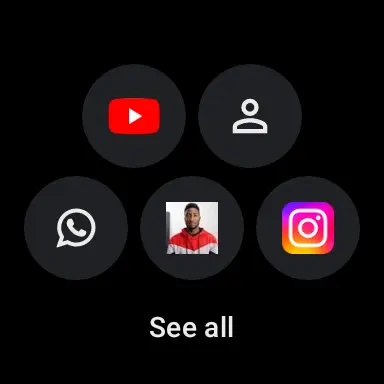
Wear OS
Show a boarding pass, pay with a QR code or share your Instagram straight from your wrist. Codes open full-screen at maximum brightness, ready to scan.
Codes, favorites and recent scans as bubbles or lists, plus a full-screen tile for the one code you need most. Add it more than once, each with its own code.
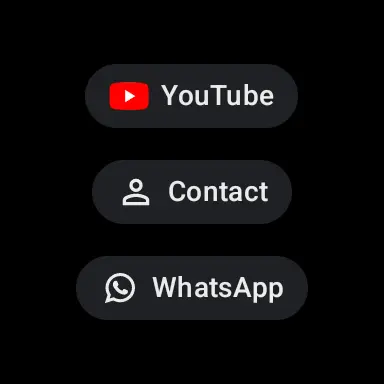
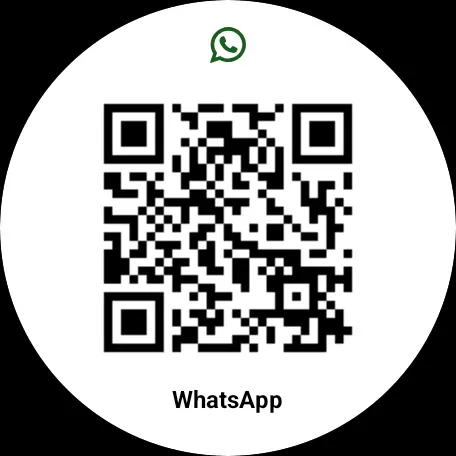
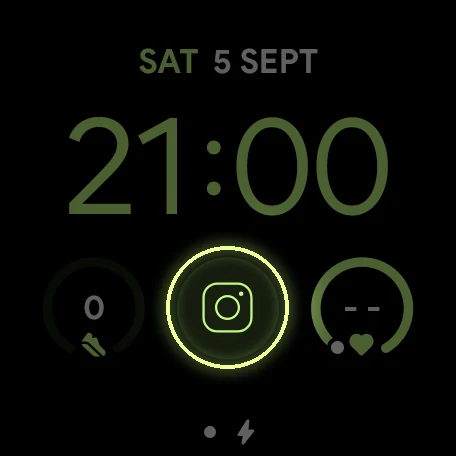
Put any code in a watch face complication. It shows the brand logo or favicon, dims in always-on mode, and a tap opens the scannable code.
Tap the complication, scan the code.
Android
Four widgets: all codes, favorites, recent scans and quick actions.
Twelve tiles: scan, codes, history and your first nine favorites, right in the notification shade.
WWearSocials · now
Your top codes
Pin your top codes as a permanent notification and open them from the lock screen.
Share boarding-pass.pkpass
Share a link, contact, event, image, PDF or .pkpass file from any app and WearSocials turns it into a code.
Apple Wallet passes
Open a boarding pass, concert ticket or loyalty card in .pkpass format and it becomes a ticket in your wallet. Passes are signature-checked and refresh themselves when the issuer publishes an update.
Wallet pass
Loyalty card
Bean & Leaf
QR Code
Wallet pass
Row 12 · Seat 4
Arena Berlin
QR Code
Wallet pass
Boarding pass · Gate B12
Sample Air
Aztec
Organized
Group codes with an icon and color, like Work, Travel or Payments. Folders show up on your watch too.
Star the codes you use daily. They power widgets, tiles and Quick Settings.
Every scan is kept, on your phone and watch, so you can find that link from last week.
Add an expiry date or a reminder to vouchers and tickets, and get notified in time.
Scanner
Scan one code or many in a row, with flash and zoom for tricky labels.
Pull codes out of screenshots, photos and PDF tickets.
Search a product or book, or open Google Lens right from a scan.
QR, Aztec, Data Matrix, PDF417 and every common barcode, from links and WiFi to payments and 20+ social networks.
Pick a format to learn more and create one right away.
Free to start
The app is free to download and use. Premium is an optional upgrade, also available as a one-time purchase.
| Free | Premium | |
|---|---|---|
| Web generator, all formats, PNG & SVG | ||
| Scanner, history and Wear OS app | ||
| Sync and backup across phone, watch and web | ||
| Unlimited codes and folders | ||
| Favorites, Quick Settings tiles and favorite widgets | ||
| Always-on notification shortcuts | ||
| Your own logo on codes | ||
| Share-image designer | ||
| CSV import and export |
Quick answers about the generator, the WearSocials app and your code wallet.
A QR Code generator is an online tool that creates scannable QR codes for digital content sharing. ime.bio's QR code generator supports multiple formats including URLs, social media profiles, contact information, and WiFi credentials, with advanced customization options for both personal and business use.
Yes. Creating codes on ime.bio is free, with no sign-up, no watermarks and no limit on how many you make. The WearSocials Android app is free to start; an optional Premium unlock adds things like unlimited codes and folders, favorites, home-screen and watch shortcuts, CSV import/export and the share-image designer.
Yes. Codes you create here are yours to use in personal and commercial projects: flyers, business cards, packaging, menus or signage.
QR codes can store diverse types of data: website URLs, social media profiles (WhatsApp, Telegram, FaceTime), contact information (vCard), WiFi credentials, phone numbers, SMS messages, email addresses, calendar events, and geographic locations. Each format is optimized for quick scanning and reliable data transfer.
ime.bio's static QR codes are permanent and never expire, functioning indefinitely when properly maintained.
ime.bio places no limits on QR code scans. Static QR codes offer unlimited scans forever.
Sign in with Google to open your web wallet. It shows every code you saved in the WearSocials app, organized in the same folders and order, with favorites and your scan history. Changes you make on your phone appear in the wallet automatically.
Modern smartphones make QR code scanning effortless. On iPhone (iOS 11+) and Android (9+), simply open your camera app and point it at the QR code - a notification will appear to open the content. For older devices, free QR code scanner apps are available from your app store.
Yes! Most modern smartphones (iOS and Android) can scan QR codes directly through their built-in camera apps without needing additional software. Just open your camera app and point it at the QR code - a notification will appear to open the content.
Modern smartphones include built-in QR code scanning capabilities. iOS devices (version 11+) and Android phones (version 9+) can scan directly through the native camera app. For older devices, ime.bio recommends free QR scanner apps available on your device's app store.
For optimal QR code printing: 1) Ensure high contrast (dark code on light background), 2) Maintain minimum 2x2 cm size, 3) Include quiet zones (white space around code), 4) Use vector format (SVG) for best quality, 5) Test scan before mass production, 6) Consider weather resistance for outdoor use. Higher error correction levels recommended for public display.
For optimal scanning, ime.bio recommends a minimum QR code size of 2x2 cm (0.8 inches). Follow our 10:1 ratio guideline - for every 10cm scanning distance, increase code size by 1cm. Our generator automatically optimizes the code pattern density for your chosen dimensions.
Common QR code scanning issues have simple solutions: 1) Ensure minimum 2x2 cm size, 2) Maintain high contrast ratio, 3) Avoid code damage, 4) Use appropriate scanning distance, 5) Verify content format compatibility. ime.bio's generator includes built-in optimization to prevent most common issues.
Download any code as PNG for screens and messages, or as SVG for print, where it stays sharp at any size. You can also copy the image straight to your clipboard.
Yes. Give a code a title and a color here, and it previews exactly as it will look in your wallet. In the app you can also add your own logo on top of a code and design shareable images with themes, gradients and borders.
QR codes carry built-in error correction, so a scratched or partly covered code usually still scans. ime.bio uses a balanced correction level that keeps codes compact and reliable. For outdoor or high-wear places, print the code larger and with plenty of white space around it.
Create a code now, or install WearSocials and take every code with you.